 01865 880 800
 info@redtechnology.com
Explore Real Success Stories with
Red’s B2B Ordering Portal
SOLUTIONS
B2B Ordering Portal
The innovators behind Intelligent B2B Ordering Portal
Combining ecommerce flexibility with procurement-grade governance, our platform empowers suppliers to deliver customer ordering experiences that streamline purchasing, integrate seamlessly with ERP and CRM systems, and give customers greater control over spend, approvals and procurement.
Intelligent B2B Ordering Portal
Our ordering portal is designed for organisations that need more than a simple ecommerce site. It combines the ease of online ordering with powerful procurement features such as approval workflows, budget controls, role-based access, and detailed reporting. This means your B2B customers can place orders quickly and efficiently, whilst maintaining full governance and insight into spend, usage, and activity. Flexible, scalable, and fully integrated, it’s the ideal solution for businesses that want to streamline their customer ordering and strengthen their commercial relationships.
GET IN TOUCH
B2B Ordering Portal Key Features
For Customers
- Streamlined Procurement: Manage complex orders, approvals, and budgets with ease.
- Personalisation: Access company-specific catalogues, pricing, and promotions.
- Real-Time Visibility: Monitor stock, orders, financials, and budgets instantly.
- Self-Service Tools: Add, edit, or remove users and manage permissions directly.
- Automated Notifications: Receive alerts for approvals, budget thresholds, and restocked items.
For Merchants
- Operational Efficiency: Automate order processing and reduce manual interventions.
- Customer Relationship Management: Improve service quality with instant access to real-time digital tools.
- Rapid Deployment: Launch quickly with business-ready features and best-practice design.
- Scalable Platform: Support growth and complex requirements without compromise.
- Seamless Integration: Connect with internal systems to reduce costs and boost productivity.
Additional Capabilities
- Flexible Payment Options: Account, card, BACS, e-wallets (PayPal, Apple Pay, Google Pay).
- Advanced Product Management: Bulk pricing, product compare, and customisation.
- Reporting & Analytics: Downloadable reports for orders, usage, and budgets.
- Mobile-Friendly Design: Optimised for all modern devices and browsers.
Benefits at a Glance
- For Customers: Simplify ordering, maintain control, and gain real-time visibility.
- For Merchants: Automate processes, reduce costs, and scale with confidence.
Ready to transform your B2B ordering experience?
Contact Us to see the Ordering Portal in action.

User Management
Enable customers to manage their own orders with self-service tools or assign managers to oversee purchasing decisions. This streamlines operations and gives businesses full control over their buying process.
Rules & Approvals
Workflows and approvals can be set up so customers automate their requisition and approval process.
- Define approval rules based on order value, product category, user role, or budget allocation.
- Route orders for approval with multiple approvers per user.
- Provide alerts when orders are rejected and explain why.
- Ensure compliance with organisational policies and budgets through customisable workflows.
Pre-defined Roles
Offer centralised or decentralised purchasing, or a mixture of both. tradeit includes a number of pre-defined roles with differing permissions and access for simple setup:
- Super User – full access, including child companies and ability to manage budgets and approvals.
- Manager – company-level access, can approve orders and manage assigned users.
- Employee – limited to placing orders from approved lists or packs.
- Accounts – reporting access for financial oversight.
Customised Access
Create custom hierarchies and roles for your customers with granular permissions. Define access based on job role, department, or location for complete flexibility.
Inherited Permissions
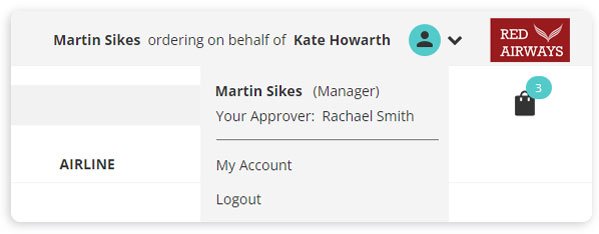
Super Users or Managers ordering on behalf of other staff inherit their permissions, meaning they can only purchase what the user is entitled to.
Restricted Catalogue & Buying Lists
Allow customers to define which products each user can view and order. Super-users can manage catalogues centrally, ensuring compliance and relevance for every role.
Ordering Lists
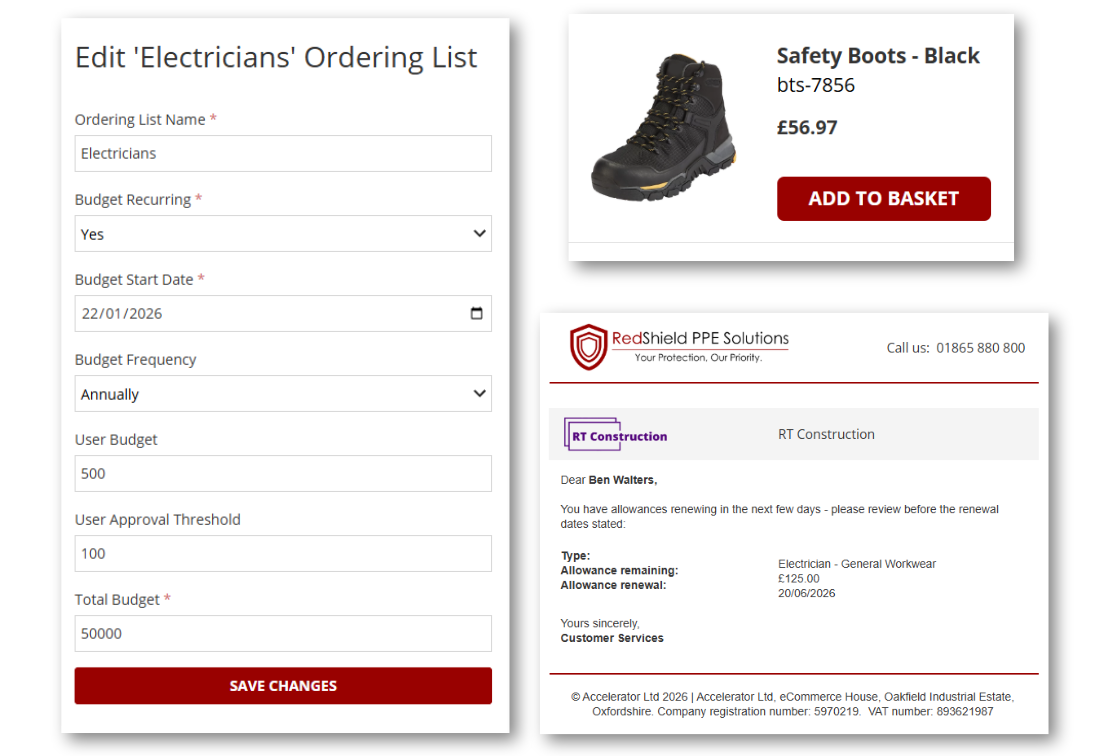
Your customers can create approved lists of products for their staff to buy from. Users can only see and order products they are allowed to, based on assigned budgets or allowances.
- Products can be grouped by category, with allowances applied at category level (e.g., any keyboard & mouse rather than a specific model).
- Customers can request additional items from the merchant’s wider catalogue for inclusion in their lists.
Pack Management
Customers can create pre-defined packs of products to simplify and speed up ordering. Packs can be based on:
- Job Role (e.g., Cabin Crew needs uniform, shoes & travel case)
- Event (e.g., New Starter needs laptop, keyboard & mouse)
- Location (e.g., Offsite engineer needs waterproofs, high-vis jacket, boots & ear defenders)
Budgets & Allowances
Let customers define restrictions such as how much users can order.
- Allowances can be product-specific or category-based (e.g., 2 jackets, 2 trousers & 2 boots per quarter).
- Budgets can be set by role, department, or company-wide, with timeframes and alerts when close to limits.
- Includes override functionality with permission from a designated user.
Alerts
Alerts can be triggered via the portal or email based on user actions or inactions, such as:
- Allowance nearing expiry
- Replacement product required
- Warranty renewal needed
Customer Personalisation
Deliver a tailored experience by customising portal to reflect each customer’s corporate branding and preferences.

Customised Storefronts
Tailor each customer’s portal with their branding:
- Add company logo, colours, and themes.
- Configure email templates, welcome messages, and personalised content.
Customer-Specific Products
Upload and display products unique to each customer or job role:
- Branded clothing with logos or name tags.
- Role-specific items (e.g., scrubs for hospital staff).
Personalised Content
Deliver targeted offers and content based on segmentation rules:
- Different users, groups, locations, departments, products, or brands.
- Real-time triggers based on user actions (e.g., searching for a specific product).
Product Customisation
Enable customers to personalise products with:
- Logos, embroidery, names, text, or unique designs.
- Preview functionality and cost breakdown for customisation.
- Option to edit existing custom products if permissions allow.
Downloadable Assets
Provide easy access to essential resources:
- PDF documents, warranty information, technical specifications.
- POS materials, merchandising collateral, CAD drawings, or software updates.
Fulfilment
Give customers flexibility in how they receive, process, and deliver orders to their end users, supporting diverse fulfilment models.
Split between Locations
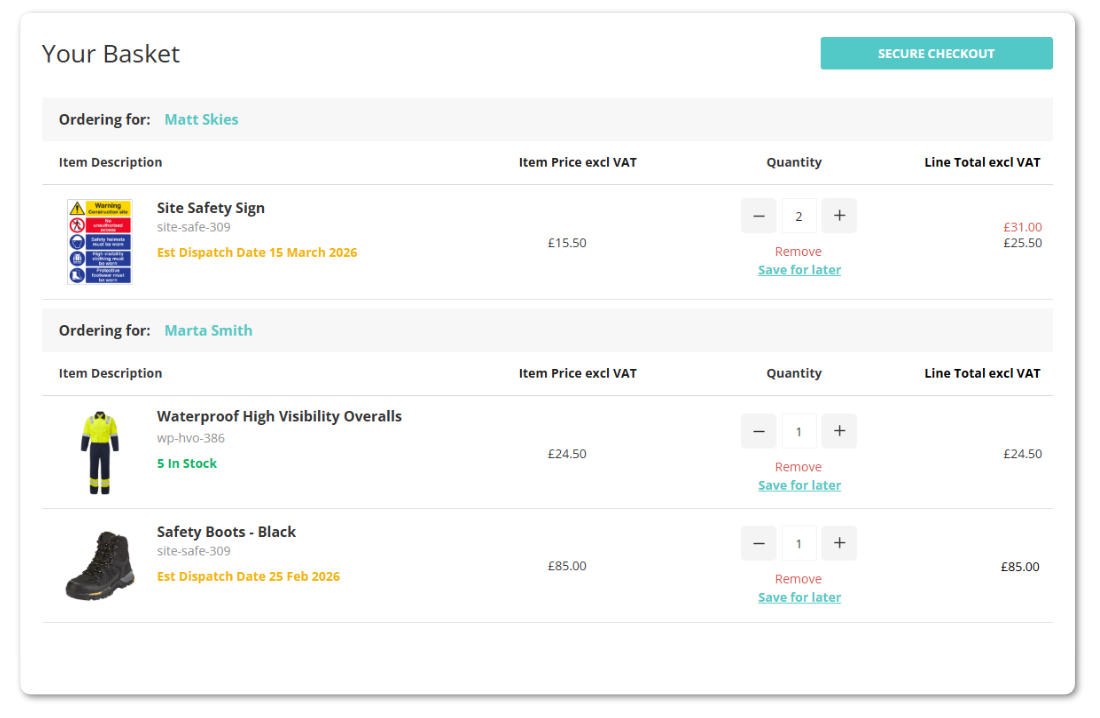
- Send products to multiple delivery addresses within a single order.
- Split down to SKU level for precise distribution.
- Ideal for master buyers managing remote sites or multiple offices.
Split between Department/User
- Managers or super users can allocate items within one order to different users or departments.
- Creates a single consolidated order with clear identification for each recipient.
Delivery Tracking
- Display tracking links, expected delivery dates, and contact details for enquiries.
- Keep users informed throughout the fulfilment process.
Dispatch Confirmation
- Show details of each dispatch and its products.
- Allow users to confirm receipt or report shortages directly in the portal.
Reporting
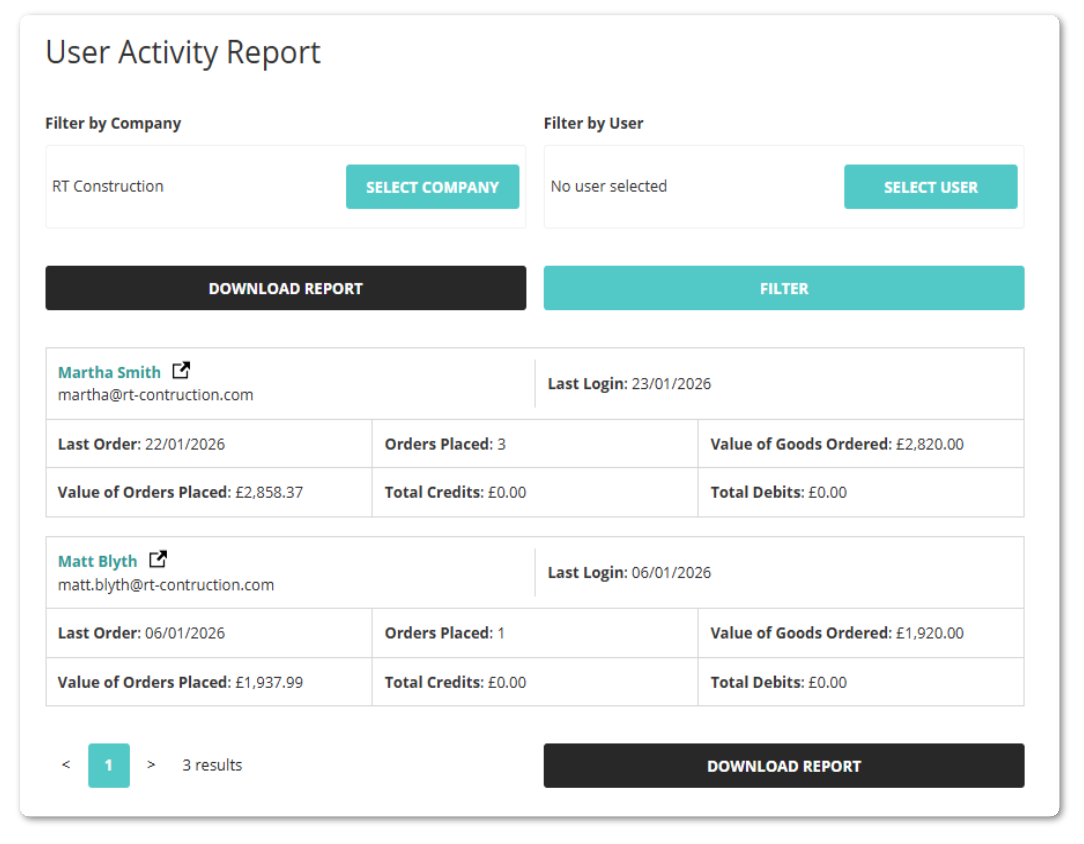
Provide dynamic, API-driven reporting for insights into performance, user behaviour, and product trends, helping businesses make smarter decisions..
Insights & Order History
- Super Users can review ordering history across any segment.
- Search by employee, product status, or location.
- Apply credits for unshipped or returned items to maintain accurate allowances.
Reports
- Suite of standard reports for accounts, ordered products, product usage, allowances, and user activity.
- Segment reports by company, user, ordering list, or time period
Export & Analysis
- Export reports to Excel for deeper analysis.
- Enable data-driven decisions with clear visibility of spend, usage, and trends.
“Our new customer ordering portal is industry leading - putting full control of procurement into customers’ hands. They’ve been amazed by its features, ease of use, and speed.”
Technology & Systems Manager, OnSite Support
Transformational Procurement
Learn more about our B2B Ordering Portal
B2B Ordering Portal Resources
B2B Ordering Portal News & Insights

Red Technology & OnSite Support Shortlisted for UK Digital Excellence Awards
Our work with OnSite Support is nominated amongst the best in the industry...

PPE Suppliers: Better Service Is What Retains Clients
In PPE and workwear distribution, service now defines success. Learn how ordering portals improve control, compliance, and retention for complex customers.

Designing B2B customer experience beyond checkout
B2B customer experience is shaped by what happens after checkout, including reordering, account access, governance, and fulfilment. By combining Advanced B2B Ecommerce with B2B Ordering Portals and, where needed, additional layers such as Punchout or Dropship, organisations can support how B2B customers really buy as their purchasing models mature.

Why B2B Customer Portals Are Now Critical for Winning and Servicing Public Sector & Education IT Contracts
Public sector and education tenders now expect suppliers to prove digital, compliant, decentralised procurement from day one, making B2B customer portals a core bid requirement for IT VARs.

Choosing the right Online Order Management System: Packaging Suppliers
In an environment shaped by rising customer expectations, tightening sustainability rules, and ecommerce normalization, packaging suppliers must rethink the digital engines powering their customer relationships.
The question is no longer “Do we need an online ordering solution?” It’s “Which platform will keep us competitive for the next decade?”
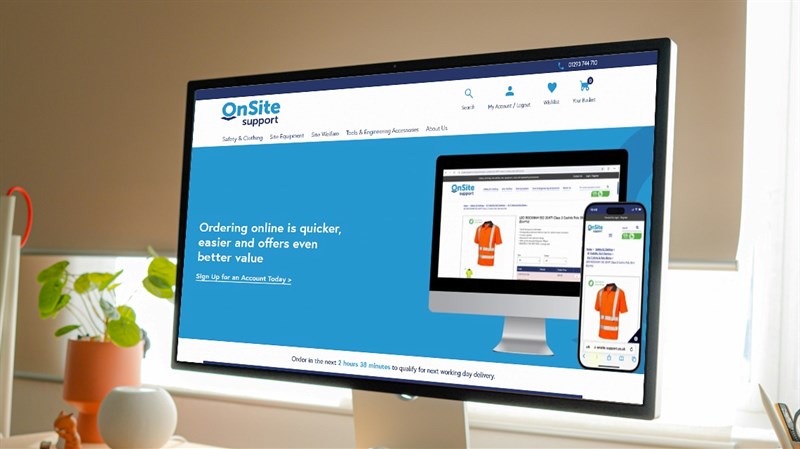
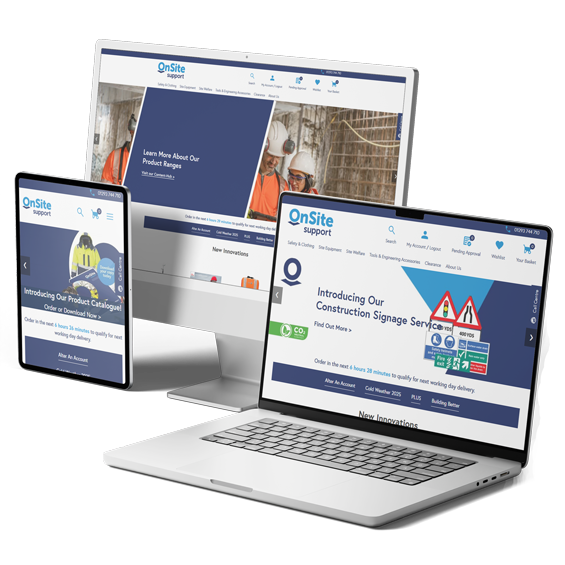
OnSite Support Launches B2B Ecommerce Solution on the tradeit™ Ordering Portal
Onsite Support’s new B2B ecommerce portal delivers a seamless self-service experience, tailored to the needs of PPE and construction buyers.